
DevOps Agent
AI CI/CD, infra, deployment

Frontend Agent
AI UI/UX, components

Backend Agent
AI API, database, perf

Architect Agent
AI system design, refactoring

QA Agent
AI testing, edge cases, quality

Fullstack Agent
AI end-to-end development

Mobile Agent
AI iOS, Android, React Native

Security Agent
AI security audit, vulnerabilities

PM Agent
AI specs, priorities, coordination

Marketing Agent
AI copy, SEO, landing pages

Git Expert Agent
AI branch management, workflows

SEO Agent
AI rankings, structured data, CWV
All your Claude agents,
one screen.
You already run Claude Code in your terminal. AgentsRoom gives you a visual interface to manage all your sessions at once. See who's coding, who's done, who needs you.
AgentsRoom
Side Projects/Users/cegedim/Documents/Perso/…
Your terminal, with a visual layer on top.
Same Claude Code CLI you already use. AgentsRoom wraps each session in a real terminal with project organization, role labels, status tracking and notifications. Nothing changes in how Claude works.
What AgentsRoom does for you
From status tracking to prompt management. Every feature is designed to save you time and keep you in control of your agents.
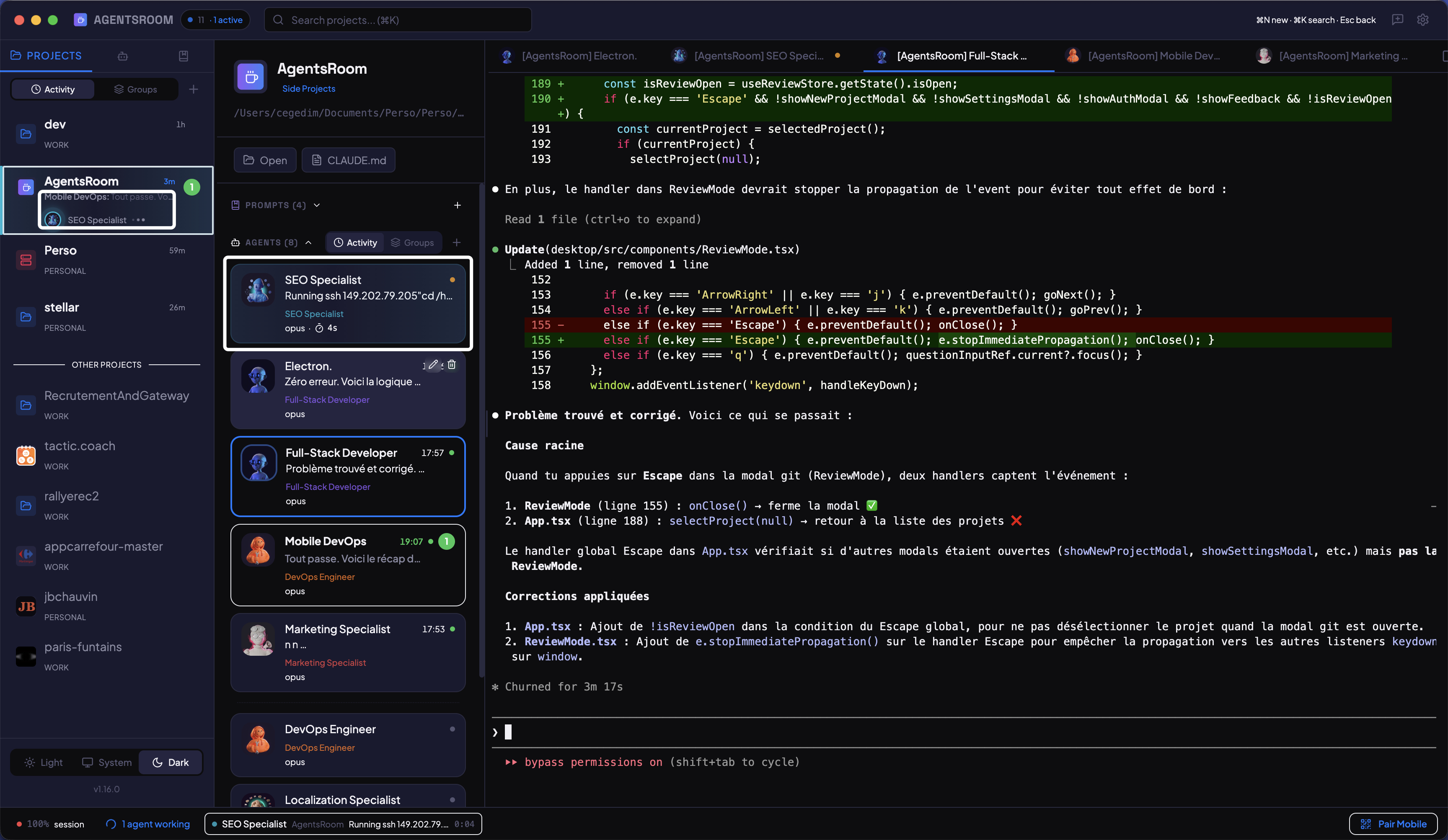
See who is working, right now
Color-coded status indicators on every agent card. Yellow pulsing dot when thinking, green when done, red when waiting for your input. Elapsed time and current activity displayed in real time.
Go touch grass.
Your agents got it.
Grab a coffee, take a walk, or just breathe while AgentsRoom keeps 8 specialized AI agents shipping code, writing tests, and reviewing PRs in parallel.
Actual footage: 8 agents running live on 4 projects while taking a coffee break
Companion app: monitor your agents on the go
Compatible with any Claude plan (Free, Pro, Max, Team, Enterprise)
3 things. That's it.
Your projects
Each project = a real folder on your machine. Group them by zone: Work, Personal, Side-projects. See at a glance which ones have active agents.
Your agents
Label each Claude Code session with a role: DevOps, Frontend, QA, Architect... Each one gets its own terminal, its own system prompt, and runs the model you pick.
Everything, live
See who's working, who's done, who's stuck. Get a macOS notification when an agent finishes. Click, give a new instruction, and keep going.
AgentsRoom vs the alternatives
Most tools wrap tmux. AgentsRoom gives you a real visual interface.
13 roles to organize your agents.
Each role is a label with a tuned system prompt. Assign one to any Claude Code session so you know at a glance who does what. Create your own roles too.

Built for the workflow
Built-in terminal
Full terminal per agent. 10K lines scrollback. Syntax colors. Clickable links.
macOS notifications
Get notified when an agent finishes or gets stuck. Dock badge shows unread count.
Edit CLAUDE.md from the app
Change project context, permissions, and hooks without opening your editor.
Prompt Library
Save your best prompts per project. Organized in folders, committed to git, personal ones gitignored.
Model per agent
Opus for the architect. Sonnet for the dev. Haiku for the QA. You choose.
Organize by zones
Drag projects between zones. Group by client, team, or priority.
100% local
Your agents run on your machine via Claude CLI. Your code never leaves your disk.
Mobile Companion
Monitor all your agents from your phone. Get notified when they finish or need help.
FAQ
Try it. 30 seconds.
Download AgentsRoom. Create a project. Launch your first agent. That's it.
Free. No credit card required.
Compatible with any Claude plan (Free, Pro, Max, Team, Enterprise)